

Logo d'EmoConnect

Understand emotions, act in real time

EmoConnect measures the emotional evolution of your participants, your teams or yourself, continuously, in real conditions, without questionnaires.

  • No installation required

  • Secure data

  • GDPR compliant

Interface du dashboard d'EmoConnect
OUR APPROACH

3 simple steps to better understand you

1. Activate EmoConnect

Create your account in minutes and access EmoConnect from your browser or desktop application (Mac, PC, Linux).
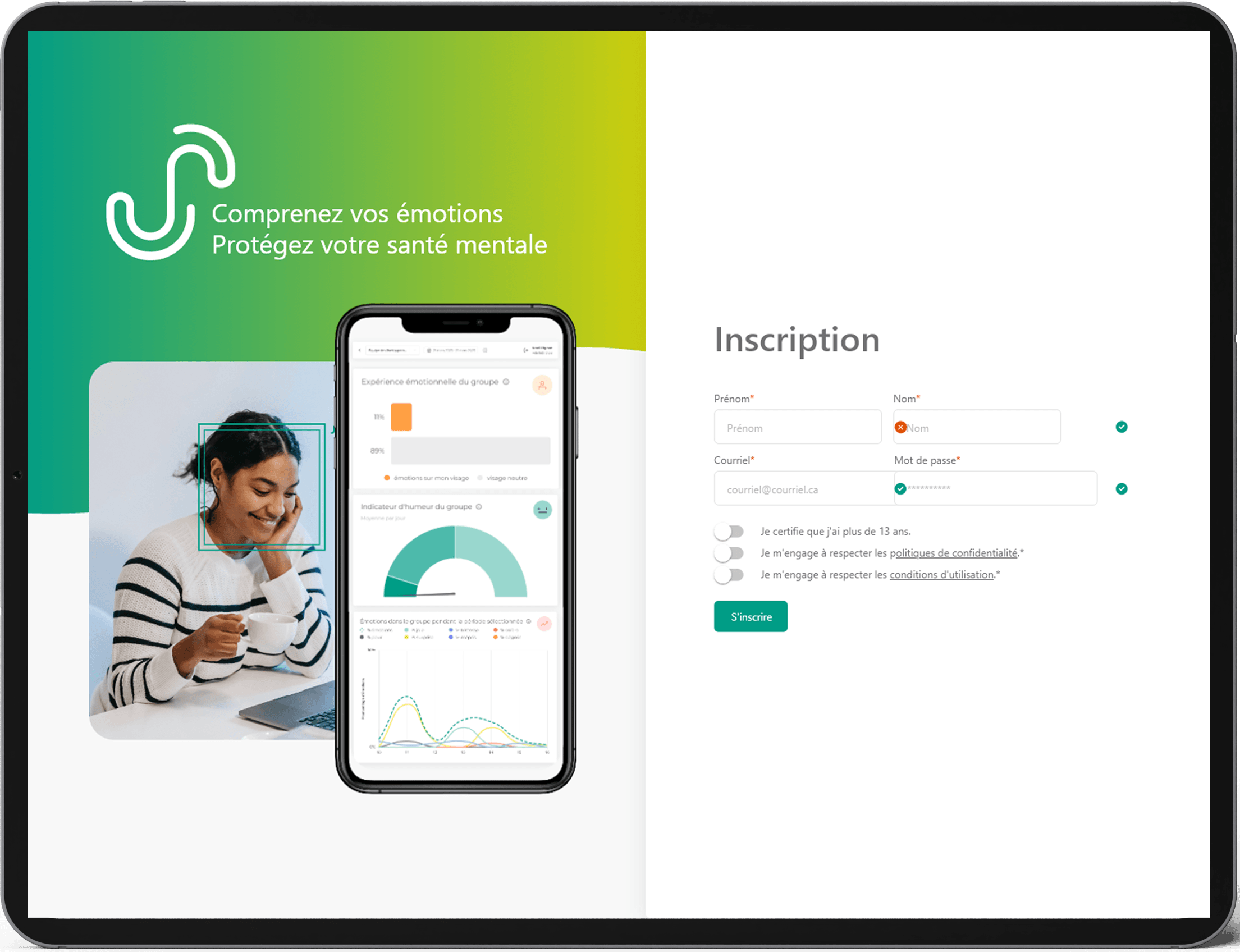
Interface d'inscription à EmoConnect

2. Capturing Your Emotions

Activate capture and let EmoConnect analyze your facial expressions automatically, continuously and in real-world conditions.
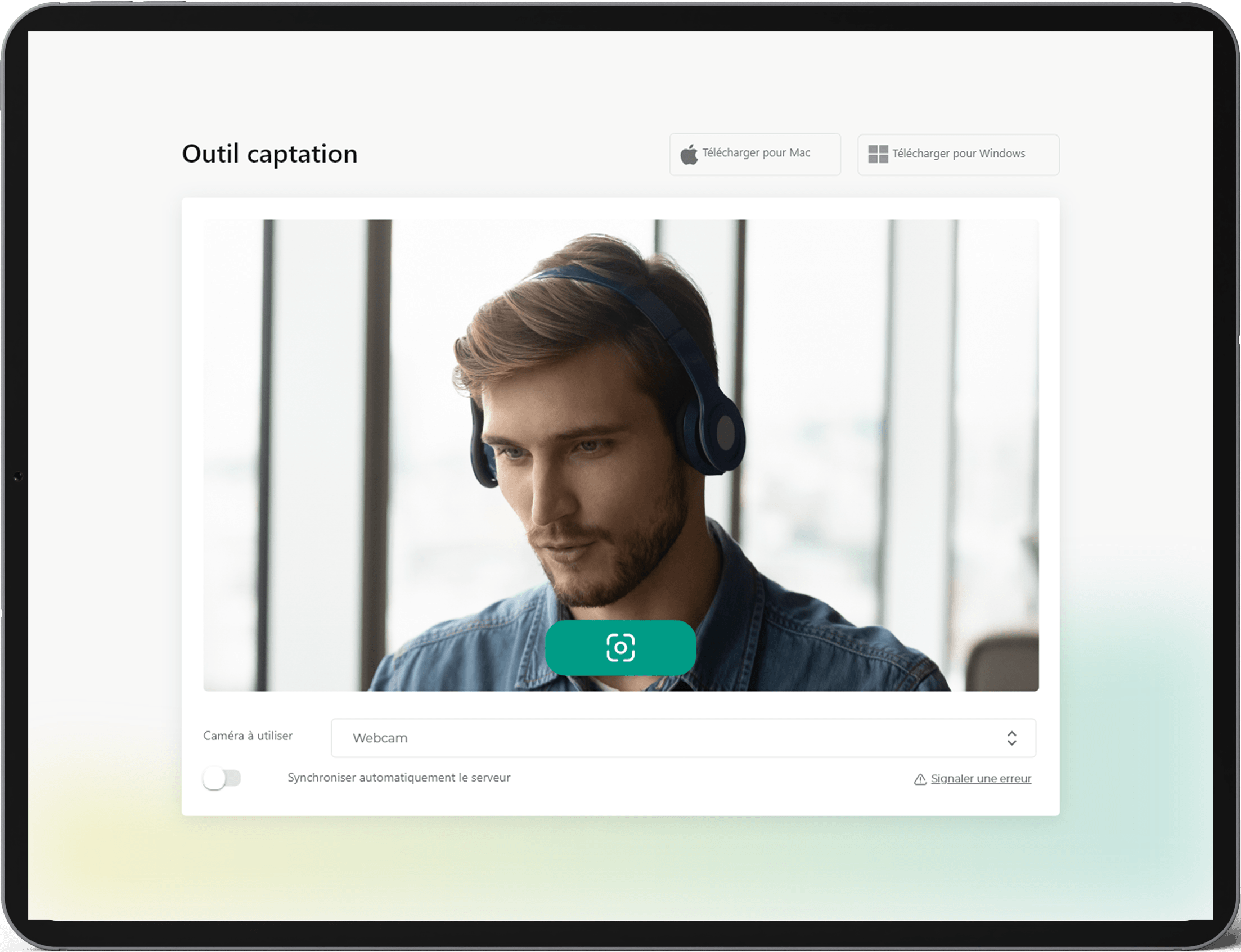
Interface de la prise d'image dans EmoConnect

3. View your data

View your dashboard in real time and track the evolution of your emotions over time.
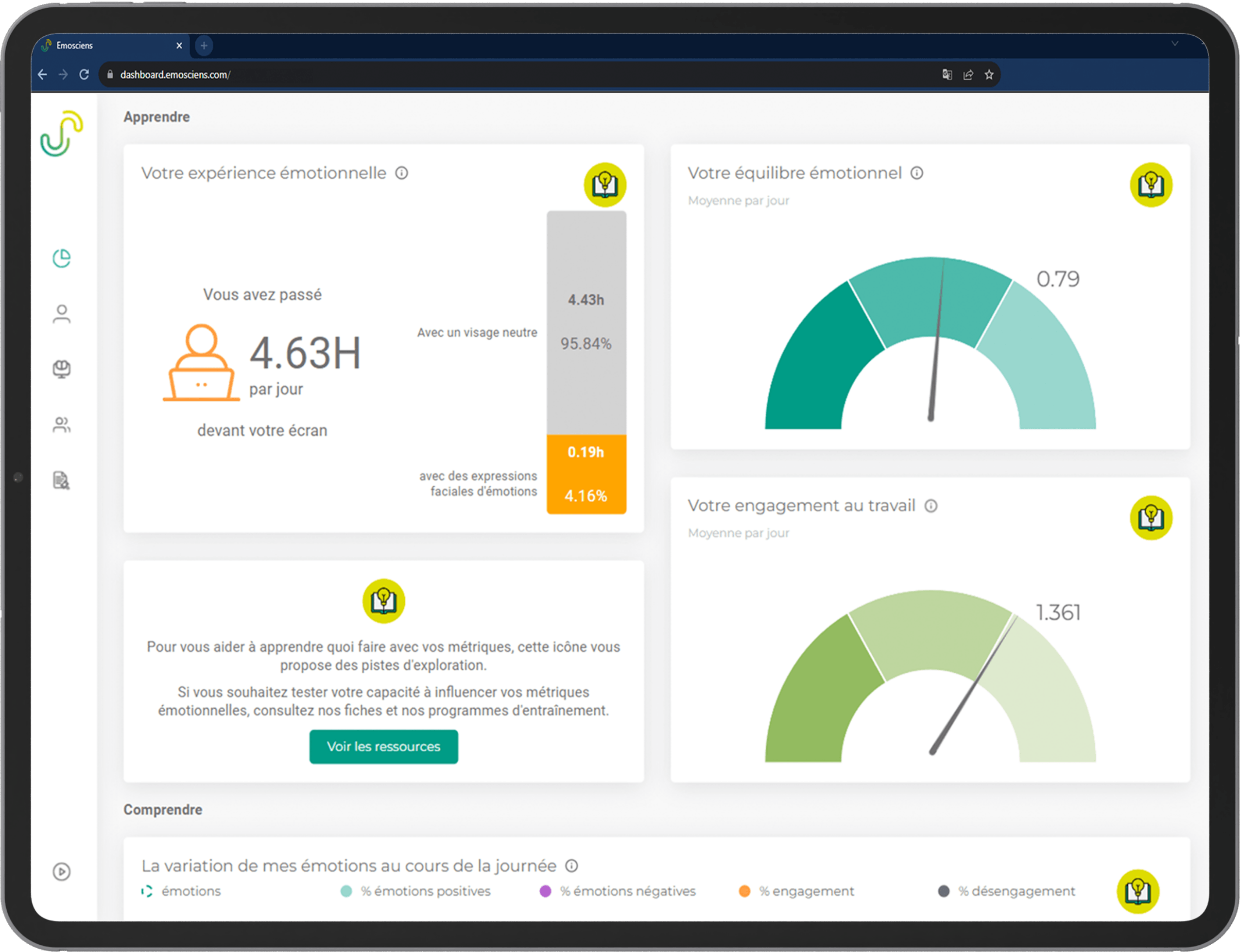
Interface du dashboard d'EmoConnect
Use Cases

Your emotions, finally legible and useful

Understanding your emotions isn’t enough; you also need to identify them and know what to do with them. EmoConnect gives you the data to take action: on your stress, on yourself, and on your relationships.


Iconographie illustrant le stress
Manage your stress

Identify the moments when your emotional state shifts before you even realize it. EmoConnect shows you your emotions throughout the day. Objective data to better recognize your triggers and take action sooner.

Iconographie illustrant le fait de se connaitre
Getting to know you better

Your emotions follow patterns you don’t always perceive. EmoConnect makes them visible: which emotions dominate, which go unnoticed, and how they evolve over time. An emotional mirror based on data, not impressions.

Iconographie d'un poignet de main illustrant la collaboration entre les gens
IMPROVE YOUR RELATIONSHIPS

What you express and what you feel don’t always align. EmoConnect helps you understand what you’re communicating emotionally in your interactions so you can adjust, nuance, and connect with greater clarity and authenticity.

ACCESS TO THE SERVICE

Choose the option that suits you

Free

0$

forever

  • 2 hours per day maximum

  • Visualizing basic data

THE MOST ADVANTAGEOUS

Yearly

199,99$

per year

  • Unlimited access

  • Visualizing basic data

  • Emotional Profile

  • Advanced graphics

Discovery

19,99$

per month

  • Unlimited access

  • Visualizing basic data

  • Emotional Profile

  • Advanced graphics

Frequently Asked Questions

We answer your questions

Yes. Questionnaires capture a subjective perception at a given moment. EmoConnect analyzes facial expressions automatically, continuously, and in real-world conditions, allowing for tracking emotional evolution without memory bias or self-reporting.

EmoConnect is accessible via web browser (without installation) and as native software on Mac, PC and Linux.

No. The interface is designed to be quickly mastered, without specialized training. Configuring a protocol, monitoring the dashboard, and exporting data do not require any programming skills.

Yes. EmoConnect is designed to operate at scale, with large cohorts, in ecological conditions. Data is automatically aggregated and remains accessible in real time, regardless of the number of participants.

Yes, you can continue using EmoScienS software if you use Zoom, Teams, Skype, or any other video conferencing software. However, you must use the Windows or Apple application and not the web version. We put a lot of effort into this feature because being aware of the emotions we display on our face during social interactions seems very important to us, especially with the rise of remote work. On Windows, make sure you select the “EmoScienS camera” webcam in Zoom, Teams, or Google Meet.

Although easy to implement, we chose not to equip EmoScienS with facial recognition functionality. This technology raises many questions regarding respect for individual rights and freedoms. Therefore, EmoScienS captures the emotions of the person in front of the computer screen on which EmoScienS is activated. Since activating EmoScienS requires a login and password, we assume that the person in front of the screen is indeed the EmoScienS user.

You can install EmoScienS on as many computers as you like. Then simply log in to the computer you’re using to activate EmoScienS and continue monitoring your emotions.

Ready to see EmoConnect in action?

No complex setup. Initial results in minutes.

Soutenu by partners